 Install of
OS2XL (Please refer to video.)
Install of
OS2XL (Please refer to video.) Install of
OS2XL (Please refer to video.)
1. Please install OS of a Free version.
2. Please install OS2XL from the load mode.
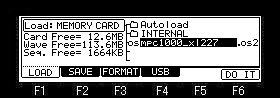
Please choose the file of OS2XL and press F6(DO IT) button.

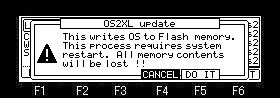
If F5 (DO IT) button is pressed, installation of OS2XL will start.
If a "Completed" window is displayed, please reswitch
on a power supply.
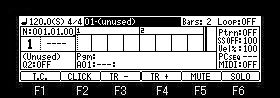
If a power supply is turned on holding the [TAP TEMPO] button, OS2XL
will start.
When installed from OS1, it is not necessary to hold the [TAP
TEMPO] button.
The screen of a save is not displayed if the password of OS2XL is
not entered.
In order to obtain the screen of save, please purchase the
password of OS2XL.
Even if a function except a save does not put in a password, it
can be used altogether.
When the password of OS2XL
is not entered, the file of OS is not displayed on a load mode.
Therefore, when you return to the free version, please turn on
MPC, holding the TAP TEMPO button.
Switching
of OS
OS can be changed if a power supply is turned on holding the [TAP
TEMPO] button.
Power supply OFF
Please turn on a power supply, holding the [TAP TEMPO] button.
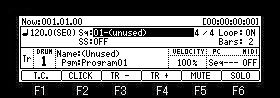
OS1 or Free version starts.
Power supply OFF
Please turn on a power supply, holding the [TAP TEMPO] button.
OS2XL starts.
Notes
OS cannot be switching if it is not OS1 more than Ver4.99I.
Moreover, they cannot use,
being able to switch OS2 and OS2XL.
In addition, if OS is
switched, all the setup will be returned to a default value.
Therefore, it is necessary to adjust the sensitivity of a pad
again.
When it returns to OS1 not more than Ver4.99H
Even if it turns on a power supply, holding the [TAP TEMPO]
button, OS2XL does not start.
In this case, in order to start OS2XL, it is necessary to update
to Ver4.99I or more version.
After updating, if a power supply is turned on holding the [TAP
TEMPO] button, OS2XL will start.
When it returns to AKAI OS
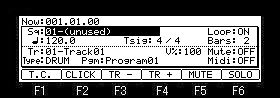
Even if it turns on a power supply, holding the [TAP TEMPO]
button, OS2XL does not start.
In this case, in order to start OS2XL, it is necessary to update
to Ver4.99I or more version.
After updating, if a power supply is turned on holding the [TAP
TEMPO] button, OS2XL will start.
Note
When it returns to OS1 or AKAI OS and saves to an internal memory,
OS2XL does not start.
In this case, please install OS2XL again.
The password of OS2XL is not lost even if saved to an internal
memory.
Update of OS2XL
Please perform update of OS2XL from the load screen of OS2XL.
Note
If the password of OS2XL is
not entered, the file of OS2XL is not displayed.
Therefore, when you are MPC into which the password is not
entered, please update from a free(Ver3.16) load screen.
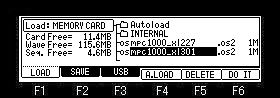
Please choose the OS2XL file of a high version and press F6(DO IT)
button.
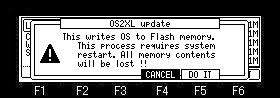
If F5 (DO IT) button is pressed, update of OS will start.
If a "Completed" window is displayed, please reswitch
on a power supply.
OS2XL of a high version starts.